The 12Bet App — Play Instantly, No Download Required
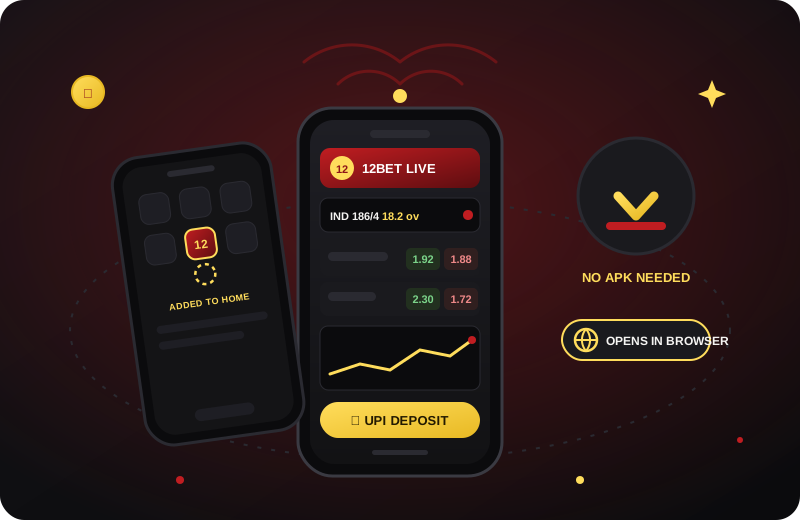
Straight talk: there is no 12bet app on the Play Store, and the APK files on shady forums are not worth your phone's security. The good news — you don't need either. The 12bet mobile web app runs full-speed in Chrome or Safari on any Android or iPhone, and installs to your home screen in three taps.
Why the Web App Beats a 12Bet APK Download
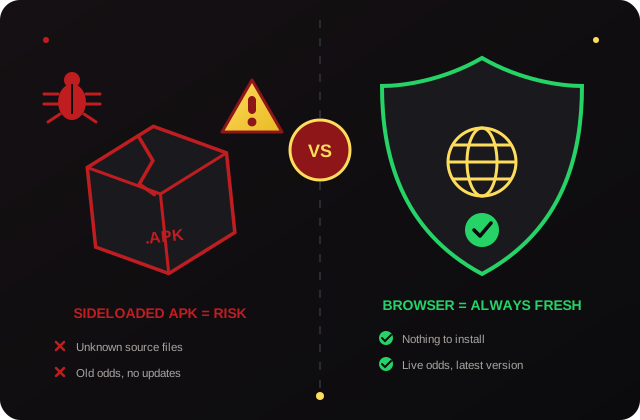
Google's Play Store does not list real-money betting apps for India, so any "12bet app download" link you find is an APK from an unknown server. Sideloading one means switching off your phone's install protections for a file nobody audits — the classic route for credential-stealing clones. Search results and Telegram groups are full of them, especially around IPL time.
The browser route removes the entire problem. Nothing installs, so nothing can carry malware; the site updates itself, so you are never betting on stale odds because your APK version fell behind. Chrome and Safari also isolate each site from your files and other apps — safety engineering that no repacked APK gets.
- Zero sideloading risk — install protections stay on.
- Latest version always — updates load with the page.
- Works on any phone — old Androids, iPhones, even tablets.
- Nothing on your app list — extra privacy on shared phones.
Warning: if any seller sends you a .apk file "for faster betting", refuse it and verify with our official WhatsApp desk. We only ever send a website link.
How to Add the 12Bet App on Android
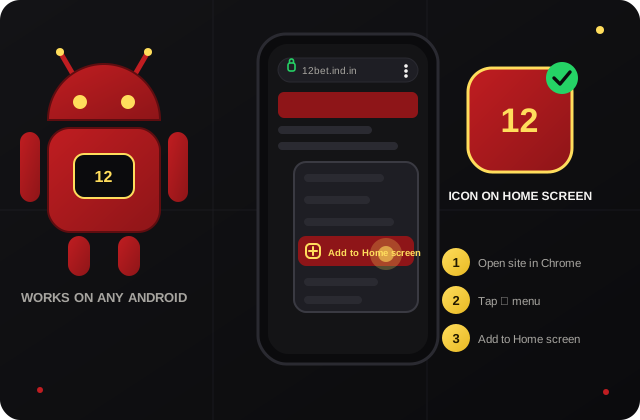
- Get your ID first. Message us on WhatsApp and receive your 12bet login plus the official site link.
- Open the link in Chrome. Log in once so the site remembers your session.
- Tap the ⋮ menu in the top-right corner of Chrome.
- Choose "Add to Home screen" and confirm the name.
- Done. A 12bet icon sits on your home screen; tapping it opens the app full-screen, without the address bar.
The shortcut works on every Android brand — Samsung, Xiaomi, Vivo, OnePlus, Realme — because it is a Chrome feature, not a phone feature. Using another browser? Firefox and Edge hide the same option under "Add to Home screen" or "Install".
Two small settings make the experience even smoother: allow notifications if you want deposit confirmations to pop up, and keep "Desktop site" unticked in the Chrome menu — the mobile layout is faster and built for thumbs. If you ever remove the icon by mistake, nothing is lost; your account lives on the server, and re-adding the shortcut takes the same three taps.
How to Install the 12Bet Web App on iPhone
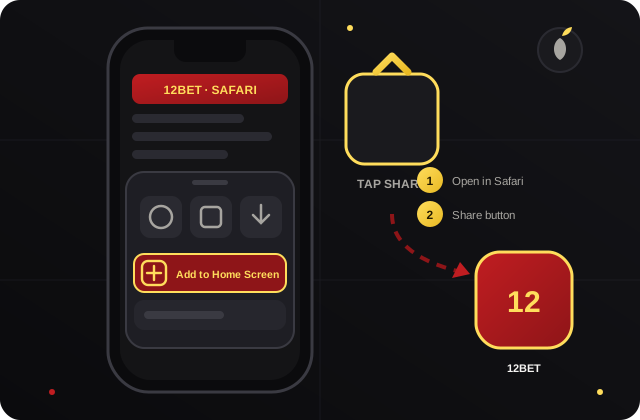
- Open your official link in Safari. (Add-to-home only works from Safari on iOS.)
- Tap the Share button — the square with an upward arrow at the bottom of the screen.
- Scroll the sheet and tap "Add to Home Screen".
- Tap "Add" in the top corner. The 12bet icon appears with your other apps.
- Launch from the icon — full-screen, Face ID-protected phone, no App Store involved.
Because Apple never allowed Indian real-money betting apps into the App Store either, this is not a workaround — it is the standard way iPhone users everywhere run exchange platforms. The icon behaves like a native app, right down to appearing in Spotlight search.
What You Get on 12Bet Mobile
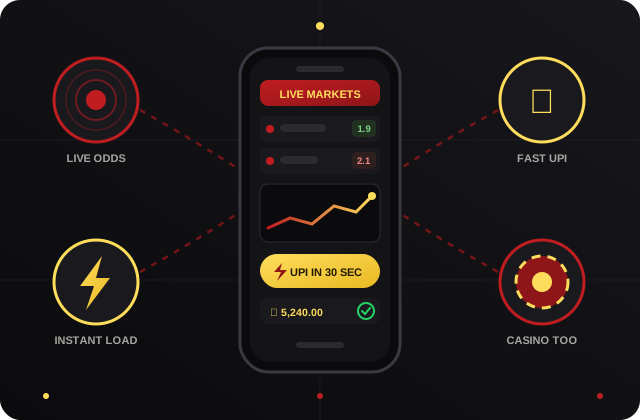
The mobile layout is built for one-thumb betting during live overs. Everything the desktop shows is here, compressed into cards you can act on in a second:
- Live exchange odds that tick in real time — match odds, session runs, fancy markets, all refreshing without a page reload.
- 30-second UPI deposits from the wallet screen; scan, pay, and the balance updates while the bowler walks back.
- One-tap bet slip with preset stakes, so a changing rate never runs away while you type.
- Casino and card tables — teen patti and andar bahar streams sized for mobile screens.
- Full account history — every bet, deposit and withdrawal listed for your own record-keeping.
One detail regular players love: the bet slip remembers your last stake sizes, so a live session bet is genuinely two taps — market, confirm. On desktop that same slip shows more depth, but on the phone the speed is the point. If a rate changes while your thumb is moving, the slip asks before accepting the new price rather than filling you blind.
Season players: the same mobile setup is what makes ball-by-ball IPL betting practical from anywhere — sofa, stadium ya office canteen.
Data Usage & Speed on Indian Networks
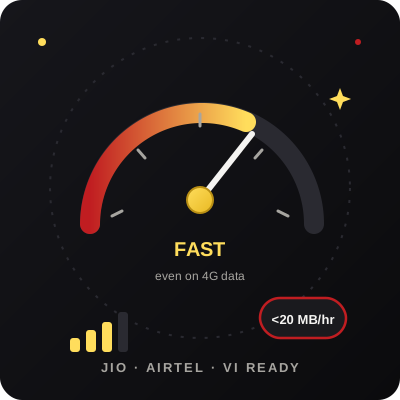
An hour of live odds browsing typically costs under 20 MB — less than five minutes of YouTube. The odds feed is lightweight text, so even a modest 4G signal on Jio, Airtel or Vi keeps rates current. Live casino video is the only heavy feature, and it steps its quality down automatically on weak signals rather than freezing your session.
Three tips for the fastest experience: keep your browser updated (Chrome and Safari ship speed improvements constantly), close dead tabs before a big match, and use the home-screen icon instead of retyping the address — it skips redirects and loads the app shell from cache. On a typical phone the icon-to-odds time is about two seconds.
Travelling? The app degrades gracefully on 3G and patchy train-route signals: odds keep updating in text even when images pause, and any bet placed is confirmed against the server, so a dropped connection never leaves you guessing whether your stake went through — reopen the app and the bet history tells you exactly what stood.
New to betting IDs entirely? Start with the online cricket ID guide to understand wallets and markets first, then come back and pin the app. Prefer premium books? Reddy Anna Book runs on the exact same mobile-web setup.
How Players Use the 12Bet App Daily
"I was hunting a 12bet apk for weeks before these guys told me straight — bhai, browser me khelo. Added to home screen in ek minute, works smoother than the APK my friend sideloaded."
"iPhone user here. Share → Add to Home Screen and done. Opens full screen, deposits via GPay in seconds, and my App Store shows nothing — exactly the privacy I wanted."
"On Jio data at the stadium the session odds still updated live. Placed my over-by-over bets from the stands during the whole T20. Data used: barely anything."
Skip the Download. Start Playing.
Get your ID on WhatsApp, open the official link, pin it to your home screen — and the 12bet app is yours on any phone, with live odds and fast UPI payouts from day one.
Get My 12Bet App ID NowKeeping Your 12Bet Account Secure on Mobile
A phone is the easiest device to lose or leave unlocked, so a little mobile hygiene keeps your 12Bet account safe. Set a screen lock — a PIN, pattern or fingerprint — so no one who picks up your phone can open your session, and avoid letting the browser save your betting password on a device other people can reach. When you pin the web app to your home screen you are opening the genuine site each time, which is exactly why it is safer than a random “12Bet APK” that could carry hidden software; only ever add the shortcut from the official link. Sign out when you finish on a borrowed or shared phone, keep your browser and operating system updated so security fixes are in place, and never share your password or a one-time password with anyone — no genuine support agent will ask for them. If your phone is ever lost, message the official WhatsApp desk to reset your password quickly. 18+ only; please play responsibly.
12Bet App — Frequently Asked Questions
Is there a 12bet apk file to download?
We do not distribute an APK, and we advise you not to install one from anywhere else. Betting apps are not allowed on the Indian Play Store, so every "12bet apk" floating on forums is an unofficial repack — at best outdated, at worst malware built to steal logins. The 12bet mobile web app delivers the same odds and wallet in your browser with nothing to sideload.
Is the 12bet app safe to use?
The browser version is as safe as the link you open. Use only the official link we send on WhatsApp after your 12bet login is issued, keep your password private, and you carry no sideloading risk at all — Chrome and Safari sandbox the site like any other page.
How do I install the 12bet app on iPhone?
Open the official link in Safari, tap the Share button (the square with the up arrow), scroll and choose "Add to Home Screen", then tap Add. A 12bet icon appears beside your other apps and opens full-screen like a native app. The numbered guide above shows each step.
Does the 12bet app work on Jio data?
Yes — Jio, Airtel, Vi and BSNL all handle it comfortably. Live odds pages are text-heavy rather than video-heavy, so a stable 4G signal is enough for real-time updates. Live casino streams use more data; the site drops stream quality automatically instead of freezing your bets.
What is the difference between the 12bet app and the site?
Nothing except the shape of the screen — same account, same wallet, same markets. The home-screen web app is simply the site opening full-screen without browser bars. Bet on mobile at the ground, settle up on desktop at home; your balance follows your login, not the device.
How much storage does the 12bet app need?
Effectively none. A home-screen shortcut plus cached files takes a few MB, compared to 40–80 MB for typical betting APKs — and there are no forced version updates eating data every fortnight. Old phones with full storage run it happily.
Can I get IDs for other platforms on mobile too?
Yes. Laser247, Reddybook, Reddy Anna Book and the rest all run the same browser-first way, and one WhatsApp chat issues any of them. Many players pin two book icons side by side — see our Laser247 and Reddybook pages, or compare all books on the cricket betting ID page.
Do I get the deposit bonus if I play on the app?
Bonuses attach to your account, not your device, so whatever offer you accepted at ID creation works identically on mobile. Deposit terms, turnover conditions and withdrawal speed are the same whether you tap from a phone or click from a laptop.
Related reading: how 12Bet login credentials are issued, the complete online cricket ID starter guide, mobile-friendly books like Laser247 and Reddybook, and season prep on the IPL betting ID page.