12Bet Deposit: Add Money via UPI, Safely and Cleanly
"12bet deposit" is a question our desk answers every day — usually from players who have their ID and just want to add money without a hitch. This guide covers it: the methods that work in India, the exact steps to top up, what to do if a deposit does not show, and the habits that keep your money safe.
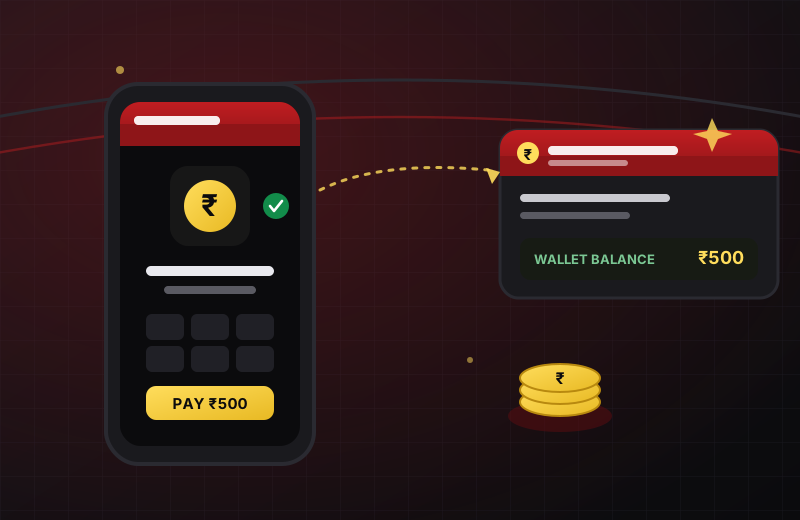
Once you have an online cricket ID, adding money is the last step before you can actually bet — and it is genuinely simple when you do it the right way. Almost every deposit problem we see is not a fault with the platform; it is a wrong amount, an unconfirmed payment detail, or a player paying an impostor. This guide walks through depositing cleanly, fixing the rare snag, and keeping every rupee where it belongs.
We will keep it practical and India-first. If you have not got an ID yet, read the cricket ID walkthrough first, then come straight back here to fund it.
12Bet Deposit Methods: What Works in India
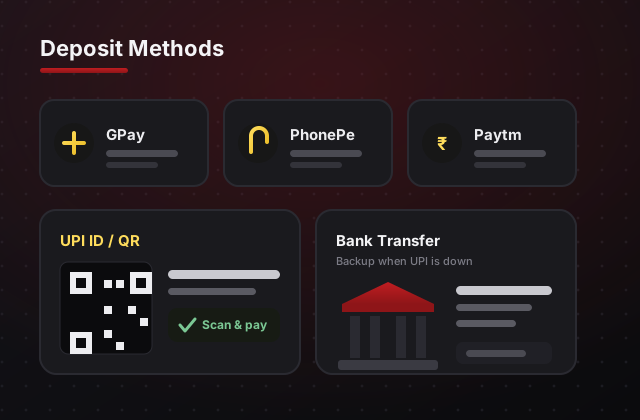
UPI is the backbone of deposits for Indian players — instant, free and built into every phone. Here is what you will typically use, in order of how often our players reach for it:
- UPI apps. GPay, PhonePe, Paytm and any BHIM-UPI app all work the same way. This is the fastest and most common route, and the one the desk recommends first.
- UPI ID or QR. Some desks share a UPI ID to pay, others a QR code to scan. Both land in the same place — use whichever the desk confirms for you.
- Bank transfer. A fallback on some platforms when UPI is briefly down. Slower to settle, so keep it as a backup rather than your default.
One rule sits above all the methods: always confirm the current payment details with the desk on WhatsApp before you pay. Deposit accounts rotate for security, and the only detail you should trust is the one that arrives in your own verified chat — never a number forwarded from anywhere else. Not sure which platform suits how you play? Compare them on the cricket betting ID page.
How to Deposit on 12Bet: Step by Step
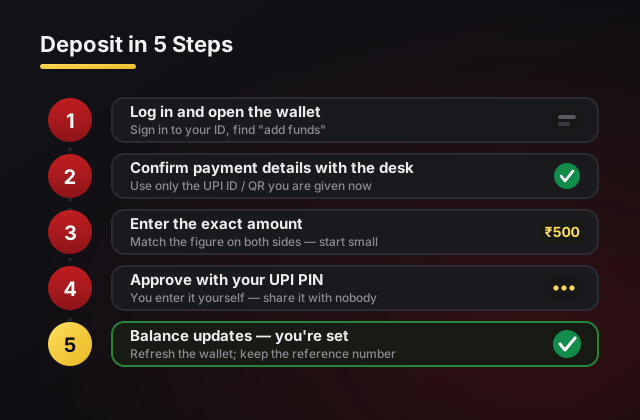
Change nothing in a hurry. Follow these in order and your first top-up takes about a minute:
- Log in and open the wallet. Sign in to your ID and find the deposit or "add funds" section. New to signing in? The login guide covers it.
- Confirm the payment details. Ask the desk on WhatsApp for the exact UPI ID or QR to use right now, and use only that.
- Enter the exact amount. Type the same figure on the platform and in your UPI app so the two match. Start small on your first deposit.
- Complete the payment. Approve it in your UPI app with your PIN — which you enter yourself and share with nobody.
- Check your balance. Give it a moment to confirm, then refresh your wallet. If it does not appear, keep the UPI reference number handy and message the desk.
12Bet Deposit Not Showing? Common Fixes
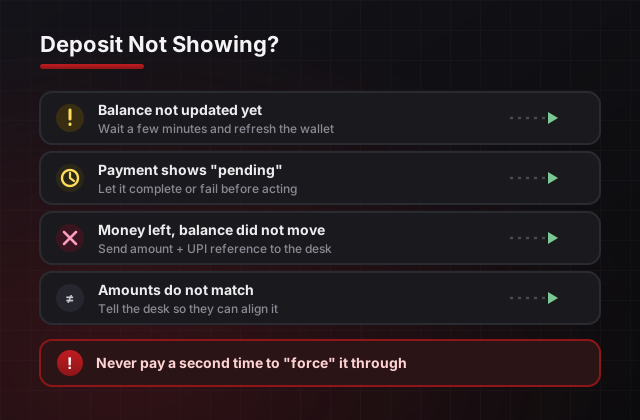
A deposit that has not appeared yet is almost never lost — it is usually just settling or waiting on a detail. Work through these calmly, one at a time, and do not pay a second time until you are sure the first did not land.
- Balance not updated yet: give it a few minutes and refresh the wallet — most credits settle quickly, but not always instantly.
- Payment shows "pending" in your UPI app: wait for it to complete or fail before doing anything else; a pending payment may still go through.
- Money left your account but balance did not move: this is what the reference number is for — send the amount and that reference to the desk and they will trace it.
- Amounts do not match: if you typed a different figure on the platform than in your UPI app, tell the desk so they can align it.
- Everything checks out, still nothing: message the desk with what you did. Never re-pay to "force" it through.
Depositing Safely and Within Limits
- Pay only to confirmed details. The desk will give you the current UPI ID or QR in your own chat — anything forwarded from elsewhere is a red flag.
- Never share your UPI PIN or OTP. No genuine desk asks. These exist to protect your money, not to credit your ID. Anyone requesting them is committing fraud.
- Keep one UPI in your own name. Depositing and withdrawing on the same account speeds up your first payout and avoids name-mismatch holds — see the UPI withdrawal guide.
- Set a budget before you deposit. Decide the most you are willing to lose this month first. When it is gone, the month is over — no top-ups to "recover" losses.
- 18+ only, entertainment only. Betting is not income. If depositing stops feeling like fun or reaches money you need, stop and take a break.
Impostor "agents" who message you first, promise to "double" a deposit, or demand a fee to "unlock" your funds are the most common trap around payments. A genuine desk never chases you and never needs your PIN. If something feels off, our betting ID scams guide lays out every red flag to watch for.
No ID Yet? Fund One in Minutes
Laser247, Reddybook, Reddy Anna Book and more — created on WhatsApp, then topped up with UPI and paid out to your own account. Deposit small, play smart. 18+ only, play responsibly.
Get My 12Bet Cricket ID12Bet Deposits: Questions Players Ask
How do I deposit money into my 12Bet cricket ID?
Log in, open the deposit or wallet section, choose UPI, and pay to the details the desk confirms for you at that moment. Enter the exact amount, complete the payment in your UPI app, and your balance updates once it is confirmed. New here? Get an ID first on our online cricket ID page.
What is the minimum deposit on 12Bet?
Most desks, including ours, activate and top up IDs from roughly ₹100–₹500 depending on the platform. Start with a small first deposit, place one bet and test one withdrawal before you add more. The cricket betting guide explains how to stake that first balance sensibly.
Which payment methods can I use to deposit?
UPI is by far the most common and quickest for Indian players — GPay, PhonePe, Paytm and any BHIM-UPI app all work. Some platforms also accept bank transfer. Always confirm the current deposit details with the desk on WhatsApp before you pay, because they can change.
My 12Bet deposit is not showing. What should I do?
Do not pay again straight away. Give it a few minutes to settle, then check that your payment actually completed in your UPI app. If the money left your account but the balance has not moved, message the desk on WhatsApp with the amount and the UPI reference number and they will trace it.
Is it safe to deposit using UPI?
UPI itself is secure when you pay only to details the desk confirms in your own chat. The risk is never UPI — it is paying an impostor. Never share your UPI PIN or an OTP with anyone, and treat any "agent" who messages you first as a warning sign. Our scams guide covers the exact traps.
Will the desk ever ask for my UPI PIN or an OTP to add money?
Never. A UPI PIN or OTP exists so that only you can approve a payment — no genuine desk needs it to credit your account. Anyone asking for it is trying to empty your account, not fund it. Share only the payment reference if asked, never the codes that authorise a transaction.
Why should the name on my UPI match my account?
Keeping deposits and withdrawals on one UPI ID in your own name keeps everything clean and speeds up your first payout. Mismatched names are the single most common reason a withdrawal gets held for a check — the UPI withdrawal guide explains why.
Can I deposit from my phone?
Yes. Deposits run entirely in your phone browser, so you can top up from anywhere your UPI app works. There is nothing to install — the same login and wallet follow you across phone and desktop, as covered on our 12bet app page.
Next reads: get your money back out in the UPI withdrawal guide, learn what to bet with it in the 12bet cricket betting guide, or start on the online cricket ID page to get set up.